Galaxy Watch8 One UI 9 Watch update: what changes and what Indian users should check
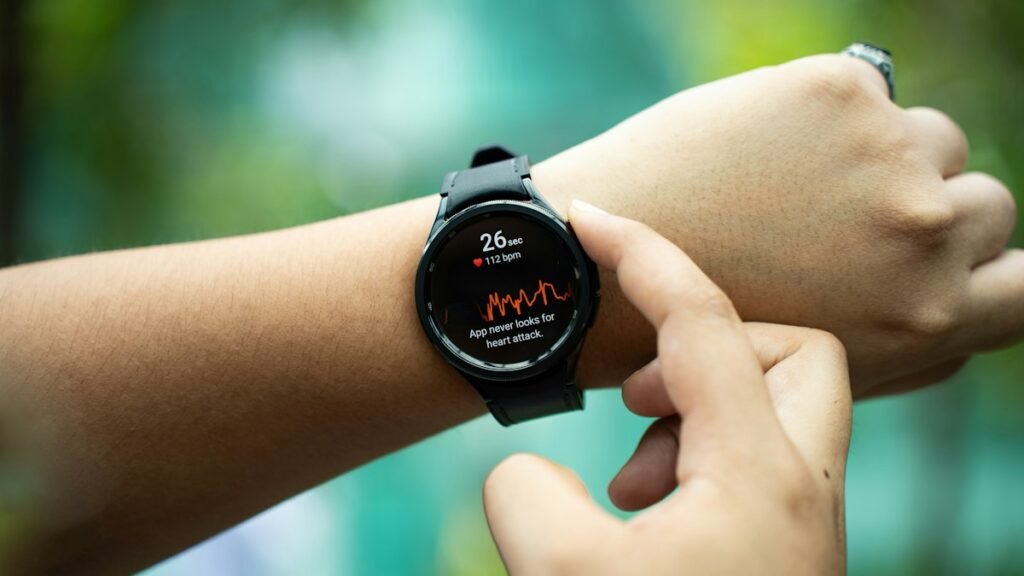
The Galaxy Watch8 One UI 9 Watch update brings several newer Samsung health, fitness and navigation features to the Galaxy Watch8 and Watch8 Classic. For Indian owners, the useful question is whether the watch software, companion apps and individual feature requirements are all ready together. Installing one update does not automatically unlock every tool in an announcement.
Samsung India’s announcement dated 26 November confirms the expansion. The rollout began in mid-November, with availability depending on country, model, carrier and other conditions. Samsung also says some functions need separate Samsung Health or Samsung Health Monitor updates. Here is a practical way to check the changes without confusing rollout news with a promise for every Indian device.
What the Galaxy Watch8 update adds
The announced additions include Vitals, Heart Health Score, Daily Cardio Load, Fitness Index and upgraded Sleep Coaching. There are also changes to Sleep Apnea monitoring, alongside Portrait Watch Face, saved Compass waypoints and Track Back. These cover different jobs: overnight trends, activity summaries, watch-face presentation and route navigation.
A feature name can hide several prerequisites. A measurement may need an updated app, a compatible phone, an account and enough recorded information before the watch can display it. That distinction matters when an update finishes successfully but a particular screen remains empty.
| Check | Why it matters |
|---|---|
| Watch software | The Watch8 must receive the relevant One UI 9 Watch build. |
| Companion apps | Health features can depend on separate app updates. |
| Phone compatibility | Some tools require a compatible Samsung Galaxy phone. |
| Recorded data | Several insights need an initial collection period. |
| Regional eligibility | An international announcement does not establish every local approval. |
How to check and install the watch software
Samsung’s official update guide provides the phone route: open Galaxy Wearable, select Watch settings, choose Watch software update, then Download and install. The phone and watch should remain connected. Samsung notes that an update may not proceed below 30% battery, so charging beforehand avoids an unnecessary interruption.
You can also check from the watch through Settings, Software update, then Download and install. Screens vary with the model and installed software. Follow the instructions shown on your own watch rather than treating another person’s screenshot as an exact match.
Before starting, note the existing software version and let current activity information finish syncing. Keep the watch near its paired phone and allow the restart to finish. Repeatedly forcing a restart during installation is not a useful way to speed up a staged rollout.
Update the apps separately
After the software restarts, inspect the companion apps on the phone and the apps installed on the watch. On a Wear OS watch, Samsung’s guide points to Play Store, Manage apps and the available update controls. A current operating system and an older health app can leave you with only part of the advertised experience.
It helps to check in stages: software first, app versions second, then the specific feature. If you change everything at once, it becomes harder to identify what is missing. Keep a short note of the version numbers and the exact message shown if you need Samsung support to investigate.
Some insights need time before they appear
Samsung’s detailed release notes and footnotes explain the collection requirements. Vitals needs at least seven nights of sleep information. Upgraded Sleep Coaching can begin with three nights within a 14-day period. These are separate requirements for separate features.
Do not interpret an empty first-day card as an installation failure. Check its own setup screen and collection period. Likewise, a chart appearing immediately does not establish that every new calculation has enough personal history. Let the app identify when the requested baseline is ready.
What the announcement does not establish for India
Samsung describes approvals for the upgraded Sleep Apnea feature in specific countries. Those references should not be treated as evidence of Indian regulatory availability. Confirm what Samsung Health Monitor actually supports for your country, phone and watch before relying on a headline or trying to obtain another region’s version.
The company also states that these tools have defined medical limitations and do not replace professional diagnosis or treatment. A software feature list is not a reason to change treatment or disregard symptoms. This article explains availability and setup; it does not evaluate the accuracy of the watch’s health measurements.
When an advertised feature is still missing
Start with the simplest checks: correct Watch8 model, completed software update, current companion app, supported phone and required account login. Then look for a collection-period requirement or a country restriction. If Download and install reports no update, record that result and check again later; the announcement does not supply a delivery deadline for every device.
Phone software and watch software also follow different release tracks. Bootpoot’s explanation of the Galaxy phone beta and rollback checks covers a separate programme. For this Watch8 update, use the stable update offered to your device and judge each new feature against its own eligibility screen.