MacBook Pro M6 vs OLED MacBook Pro: Which Upgrade Makes Sense?
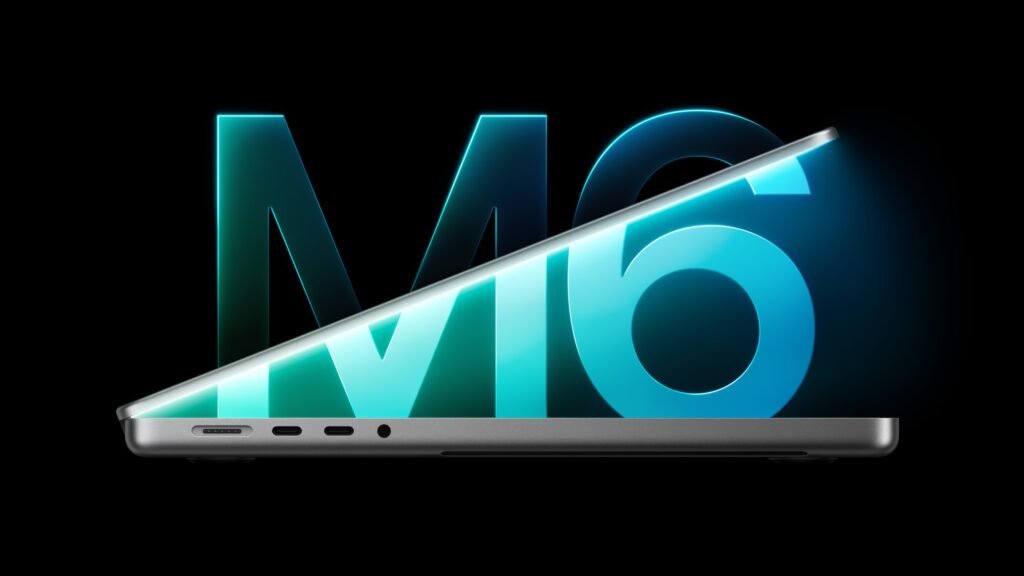
The MacBook Pro M6 and the OLED MacBook Pro answer different buying questions. One puts a newer base chip into a 14-inch professional laptop; the other emphasises a tandem OLED touch display and higher-tier chip options. A larger number in a chip name is not enough to choose between them.
This comparison is based on Apple’s announcements, not our own benchmark or battery testing. The aim is to help you choose what to investigate, rather than declare an untested performance winner.
The differences that matter first
Apple’s M6 announcement describes a 14-inch model with a Liquid Retina XDR display. The PROLED XDR announcement covers 14-inch and 16-inch OLED touch models with M5 Pro or M5 Max.
Those are different product configurations, not a simple before-and-after replacement. Compare the exact chip tier, memory, storage and screen size shown at checkout.
Start with your workload
For writing, research, general development and ordinary office work, list the applications you use and the constraints of your existing laptop. If the current problem is insufficient memory or slow storage, a display upgrade alone will not solve it.
For sustained rendering, complex video work or large creative projects, look for benchmarks using the applications and settings that resemble your work. Do not extrapolate a result from a different chip configuration. A short synthetic test also does not tell you how a laptop behaves during a long export.
Decide how much the built-in screen matters
The OLED model deserves closer attention if you spend most of the day working on the laptop’s own display. Reviewers should evaluate colour, reflections and long-session comfort alongside advertised contrast. A brief showroom impression is useful, but it is not the same as working through a full project.
If the laptop usually sits connected to an external monitor, compare the cost of the entire setup. Spending on a suitable monitor, backups or extra memory may serve your work better than selecting the most expensive built-in display. That is a budgeting consideration, not a universal recommendation.
Newer chip generation does not mean faster in every task
Apple’s base M6 and its Pro/Max chip tiers belong to different configurations. Until like-for-like testing is available, avoid claims that one wins every workload. The relevant evidence is completed work, thermal behaviour, battery life and application compatibility on the exact model.
A simple buying checklist
Write down your maximum budget, essential software, preferred screen size, memory requirement and storage needs. Then compare complete configurations. Include any adapter, external storage or protection plan you intend to buy. Check return conditions and the actual delivery date before paying.
Which should you shortlist?
Shortlist the M6 model if its configuration and screen meet your needs at the price you can afford. Investigate the OLED version if the display, larger size option or Pro/Max configuration addresses a specific professional requirement. Keep your current machine if it already meets your needs and the upgrade has no clear benefit.
Frequently asked questions
Is the M6 model the same as the OLED model?
No. Apple announced them as different configurations.
Can this article tell me which is faster?
It explains how to compare them. A reliable speed verdict requires independent, workload-specific testing.
Should I upgrade only for touch?
Try touch in the applications you use before making it a deciding factor.
Image credit: Apple.